What Tentmaker does
Everything here is built and working on a developer's computer. Where something is new or not built yet, the page says so.
Editing with blocks and a live preview
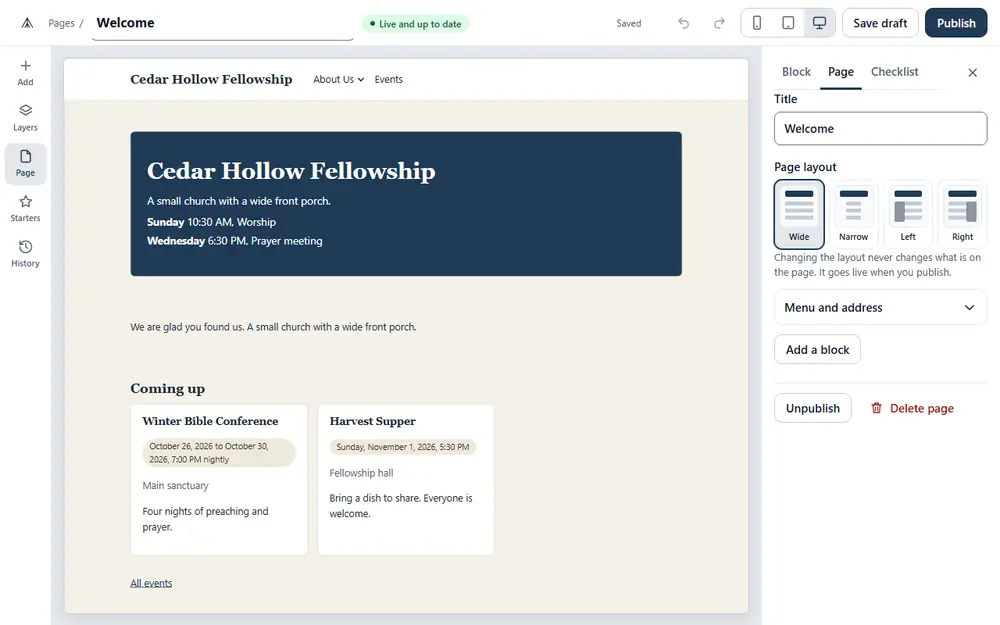
A page is a stack of blocks: a paragraph, a picture, a button, a list of upcoming events, the times of your services, a gallery, a table, a set of questions that open and close, and more. There are 28 kinds. You add one from a short menu, click it, and type or choose.
The page is drawn just as visitors will see it, and you can look at it at the width of a computer, a tablet or a phone. Your work is saved as a draft a couple of seconds after you stop typing. Nothing reaches the public until someone presses Publish, and before it does, a checklist points out what needs fixing, such as a picture with no description.
Templates and the seven built-in looks
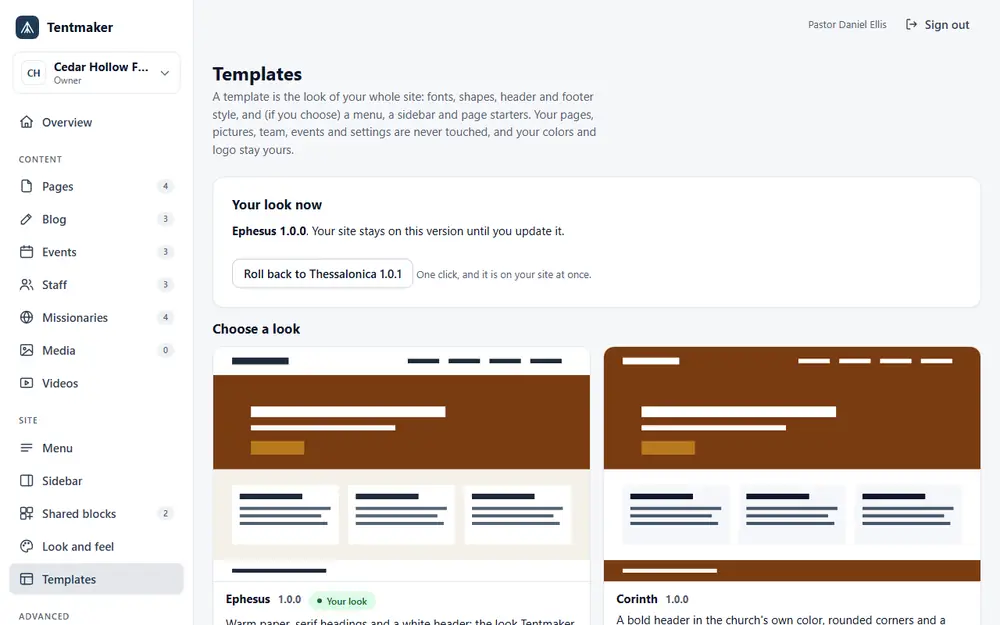
A template is the look of the whole site, like an outfit you can try on and take off. Seven come with Tentmaker: Ephesus, Corinth, Colossae, Philippi, Thessalonica, Rome and Berea. See them side by side.
A manager or owner can preview any look with the church's own pages before choosing it, and can go back to the earlier look in one click. A template changes how the site looks. It never touches what you wrote.
| A template can change | Always stays yours |
|---|---|
| Fonts, corner shapes, shadows, buttons | Every page, post, picture, person and event |
| The style of the header, footer and menu | Your church's name, address, phone, email and service times |
| Page width, the background, banners | Your colors and your logo, unless you choose the template's colors |
| A default menu, sidebar and footer, only if you tick them | Your light or dark choice |
| Page starters offered when you make a new page | Who is on your team, your redirects and your web address |
Pictures and hosted video with captions
Pictures are kept in a library you choose from. When a picture is uploaded, the hidden details a camera adds, such as where it was taken, are removed. A picture can open larger on the page, with Previous and Next buttons, and without any script.
A church can also upload its own video file and add a captions file to it, so the words are there for people who cannot hear them. A hosted video with no captions is flagged before publishing. Sermon audio and a sermon library are not part of Tentmaker.
Missionaries kept separate from staff
Your staff, the pastors and leaders on the team page, and the missionaries your church supports are two separate lists, because they are two different things. Each has its own screen, with a photo, a short note, where they serve and a link, and each can be shown or hidden without being deleted. Missionaries are entries your staff keep: they do not sign in or update their own page.
Events and a pastor's blog
Events go live as soon as they are saved, and end themselves when the date has passed. A blog is there for the pastor's letters and notes: a post starts as a draft and goes live when someone presses Publish. Both can be placed on any page with a block, or listed in the menu.
Redirects and your own web address
Every church gets an address of its own on Tentmaker. A church that owns a web address of its own, such as www.yourchurch.org, can connect it from the Domain screen, which an owner opens and which lists exactly what to change at the company that holds the name. This is one of the newest parts of Tentmaker, so ask us before you plan around a date.
If you are moving from an older site, a manager can add redirects so that old links keep working and visitors land on the right new page.
Accessibility
Church websites are for everyone in the neighborhood, so Tentmaker builds some good habits in. Pages use headings, landmarks and links the way assistive technology expects. Each picture needs a description or a mark that it is only decoration. Menus and buttons work from the keyboard. Colors are checked for contrast, a site can follow a visitor's dark mode setting, and nothing animates for a visitor who asked for reduced motion. Each church sets the language of its site.
We check this with automated tools in a real browser, against the Web Content Accessibility Guidelines 2.2, level AA. We have not yet tested with screen readers, and we do not claim a certification. Whether your own pictures and captions are well described is up to the people who write them.
Keeping it safe, in plain words
- People sign in with a link sent to their email. There is no password to forget or to leak, so protecting the email account is what protects the site.
- Every church's pages and people are kept apart from every other church's. That separation is the main thing the software is built around.
- Three roles decide who may do what, and the server checks the role on every request, not only on the buttons you can see. The roles, in detail.
- Public pages run no script of their own, and what an editor types is cleaned before it is shown.
- An embedded video, map or giving form can only come from a list of sites a manager has allowed.
- We have reviewed Tentmaker's security ourselves and fixed what we found. It has not had an outside audit.
Not yet
Tentmaker is new software, and some things you might expect are not built. A contact form that sends email is not built: for now a block shows an email link. There is no member directory, no way to download your whole site as a bundle, and no screen that shows the log of role changes. Churches are set up by us, with no sign-up page yet. We would rather tell you now than promise it.
The full guide for the people who use Tentmaker is at help.thetentmaker.org. If a feature matters to your church, write to us and ask.