The seven looks

Every Tentmaker church starts from one of seven looks and can change at any time. Here is the same invented church, Cedar Hollow Fellowship, in each, on a computer and on a phone.

These pictures are taken from the live demonstration sites below, so they are exactly what you will see when you click through. Each demo shows the look in its own colors; a church keeps its own colors under any look, and can choose the look's colors instead.

Ephesus

Warm paper, serif headings and a white header. The look every church starts with.

See Ephesus live

A demonstration site for an invented church. Click through the menu, the events and the team.
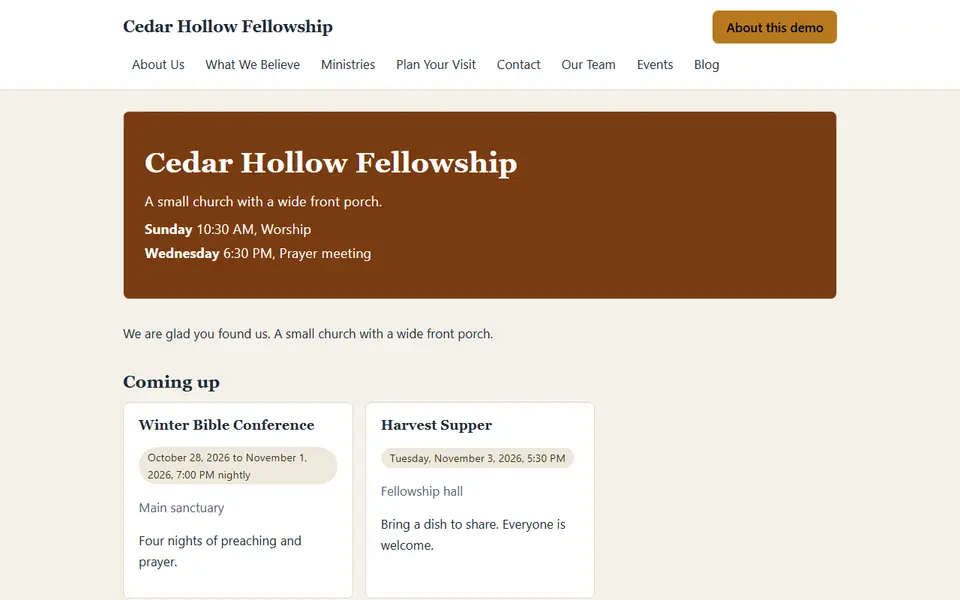
Cedar Hollow Fellowship in the Ephesus look on a computer: a white header with the church name and menu, a brown welcome panel with the service times and two event cards on a warm cream page.
Ephesus on a computer.
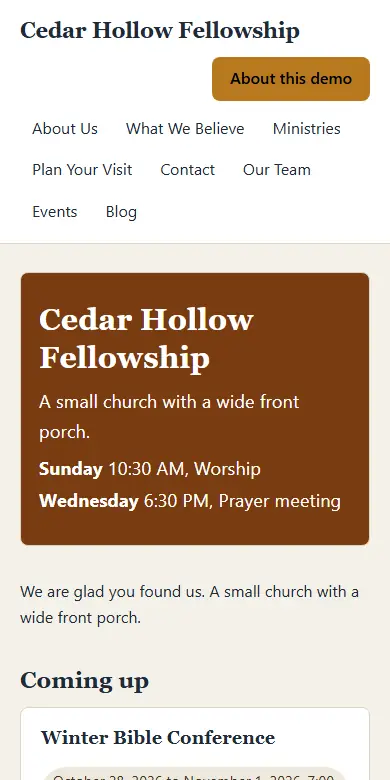
Cedar Hollow Fellowship in the Ephesus look on a phone: the church name and menu links wrap above a brown welcome panel with the service times, then the first event card.
Ephesus on a phone.

Corinth

A bold header in the church's own color, rounded corners and a clean sans-serif.

See Corinth live

A demonstration site for an invented church. Click through the menu, the events and the team.
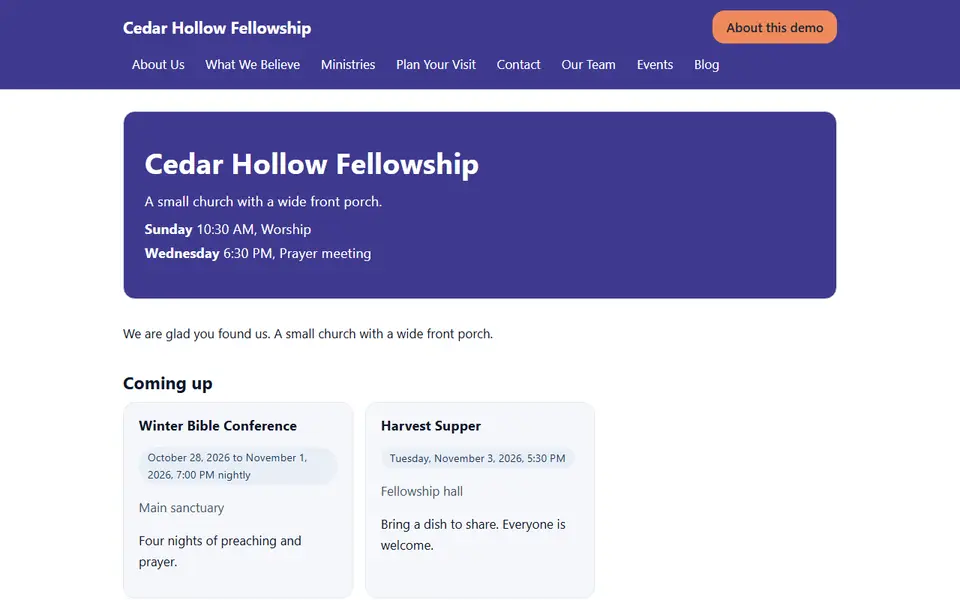
Cedar Hollow Fellowship in the Corinth look on a computer: an indigo header with white menu text and a coral button, a rounded indigo welcome panel with the service times and rounded event cards on a white page.
Corinth on a computer.
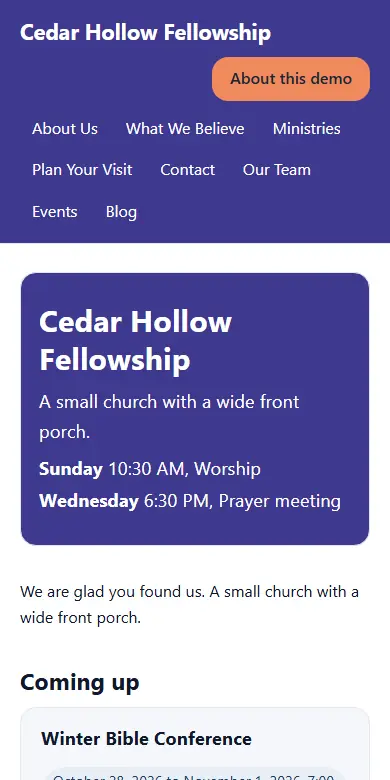
Cedar Hollow Fellowship in the Corinth look on a phone: an indigo header with a coral button and the menu wrapped below the church name, a rounded indigo welcome panel and the first event card.
Corinth on a phone.

Colossae

A warm cream page with a deep green and a gold, old-style serif headings, and the week's times in a card beside the welcome.

See Colossae live

A demonstration site for an invented church. Click through the menu, the events and the team.
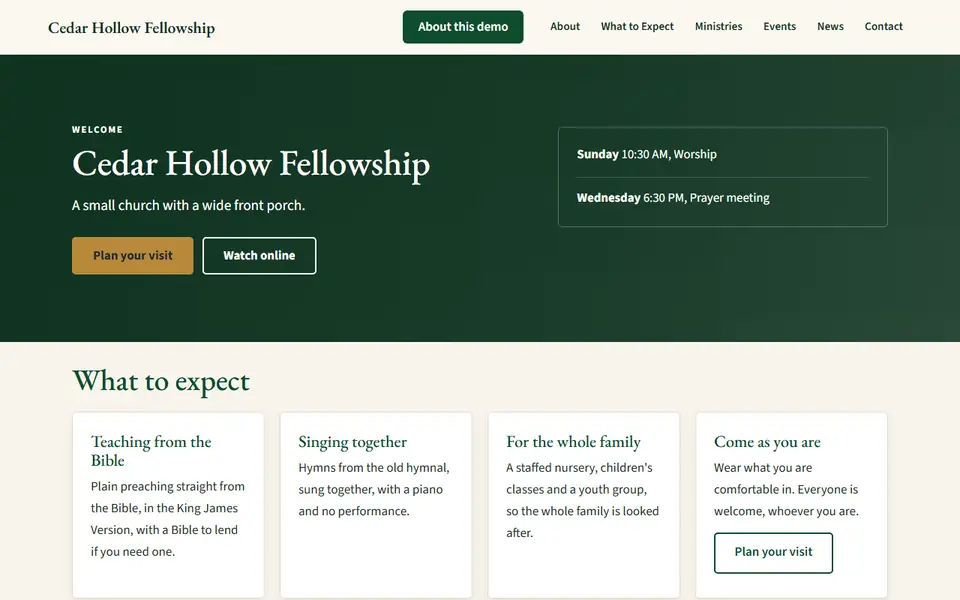
Cedar Hollow Fellowship in the Colossae look on a computer: a cream header with the church name and menu, a deep green banner with the church name and two buttons on the left and the service times in a card on the right, then four white cards.
Colossae on a computer.
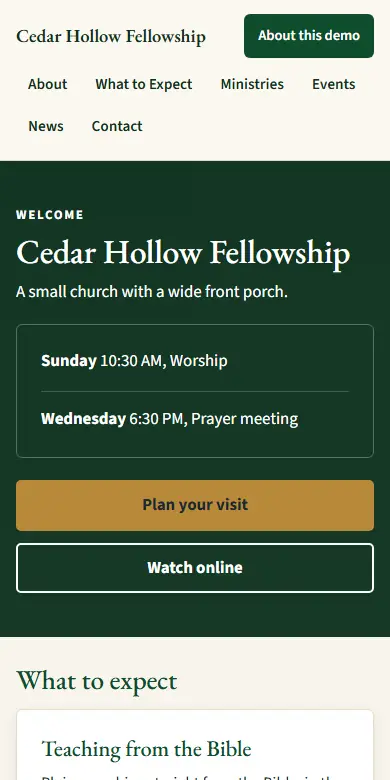
Cedar Hollow Fellowship in the Colossae look on a phone: a cream header, a deep green banner with the church name, the service times in an outlined card and two stacked buttons, then white cards.
Colossae on a phone.

Philippi

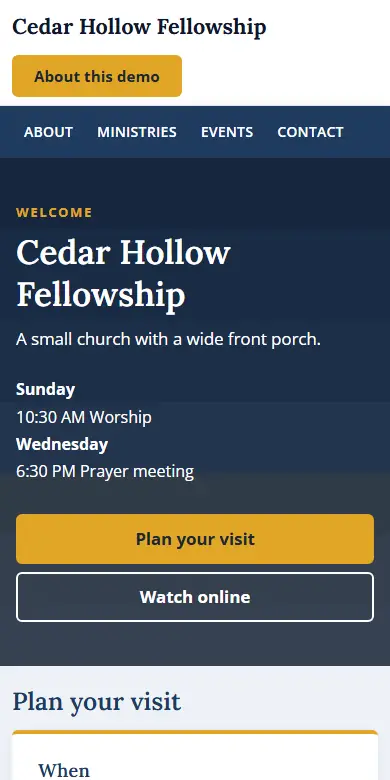
A logo row over a full-width menu bar in the church's color, a tinted page with a white content card, serif headings and roomy text.

See Philippi live

A demonstration site for an invented church. Click through the menu, the events and the team.
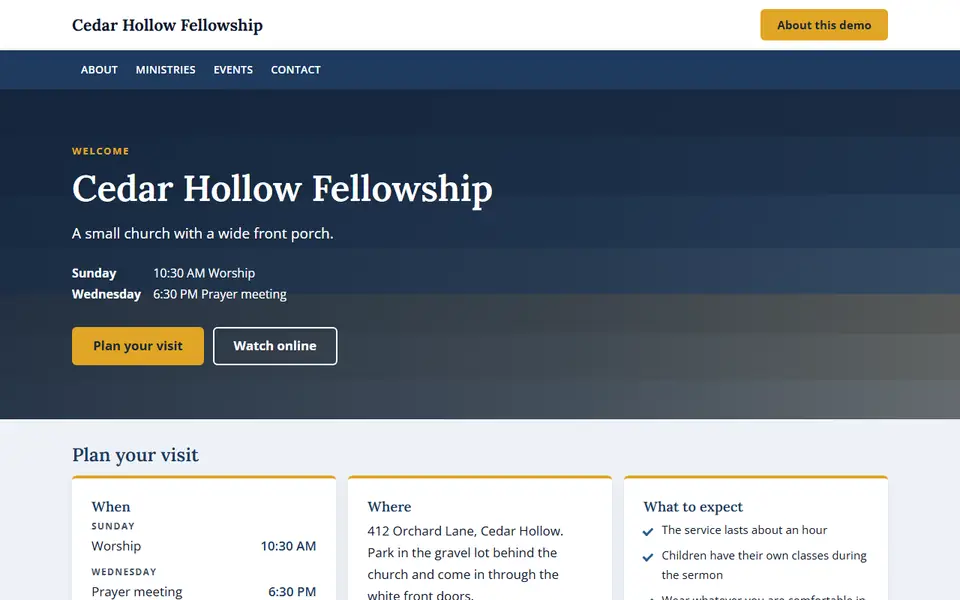
Cedar Hollow Fellowship in the Philippi look on a computer: a white logo row above a full-width navy menu bar, a navy banner with the church name, the service times and gold and white buttons on the left, and three white plan-your-visit cards on a pale blue-gray page.
Philippi on a computer.
Cedar Hollow Fellowship in the Philippi look on a phone: the church name and a gold button above a navy menu bar, then a navy banner with the church name, the service times and two stacked buttons.
Philippi on a phone.

Thessalonica

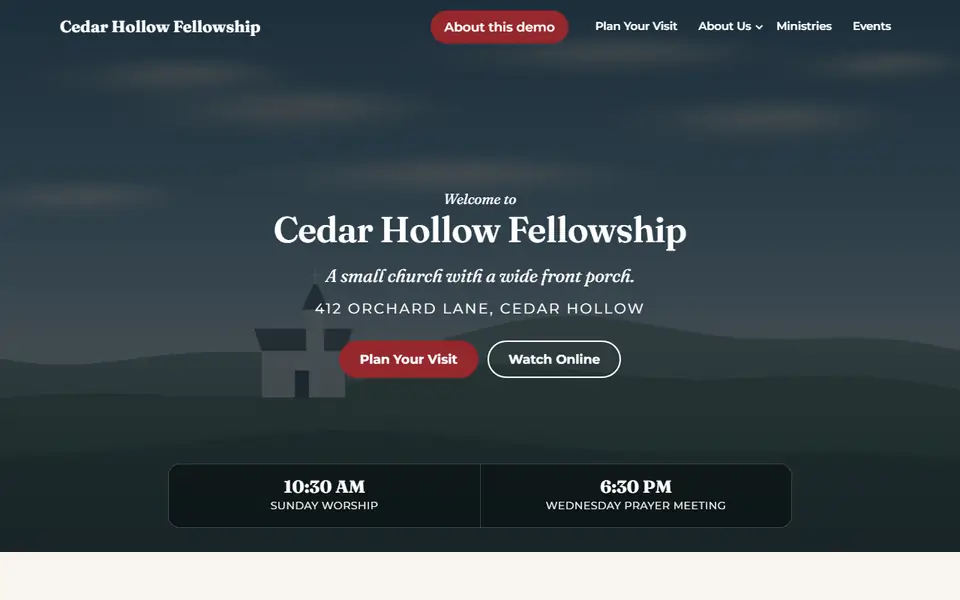
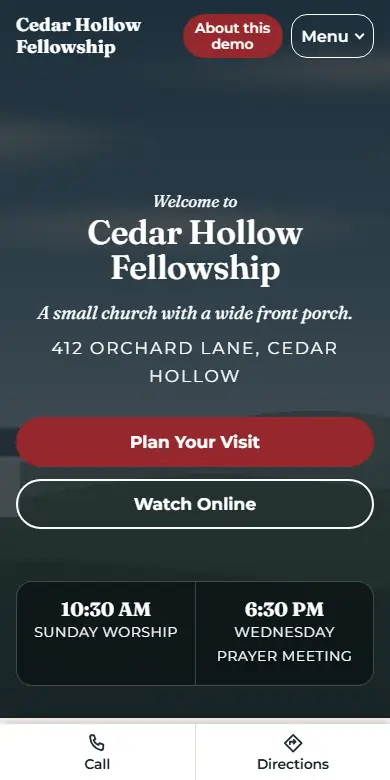
A header that floats over a tall photo banner and turns solid as you scroll, a glass strip of service times, a cream page with white and dark bands, a serif and a geometric sans.

See Thessalonica live

A demonstration site for an invented church. Click through the menu, the events and the team.
Cedar Hollow Fellowship in the Thessalonica look on a computer: a header floating over a tall dark banner picture of a small church on a hill, with the church name, a welcome and two buttons in the middle, and a glass strip of service times below.
Thessalonica on a computer.
Cedar Hollow Fellowship in the Thessalonica look on a phone: a dark banner picture with the church name, a Menu button, two stacked buttons and a strip of service times, and a bar along the bottom with Call and Directions.
Thessalonica on a phone.

Rome

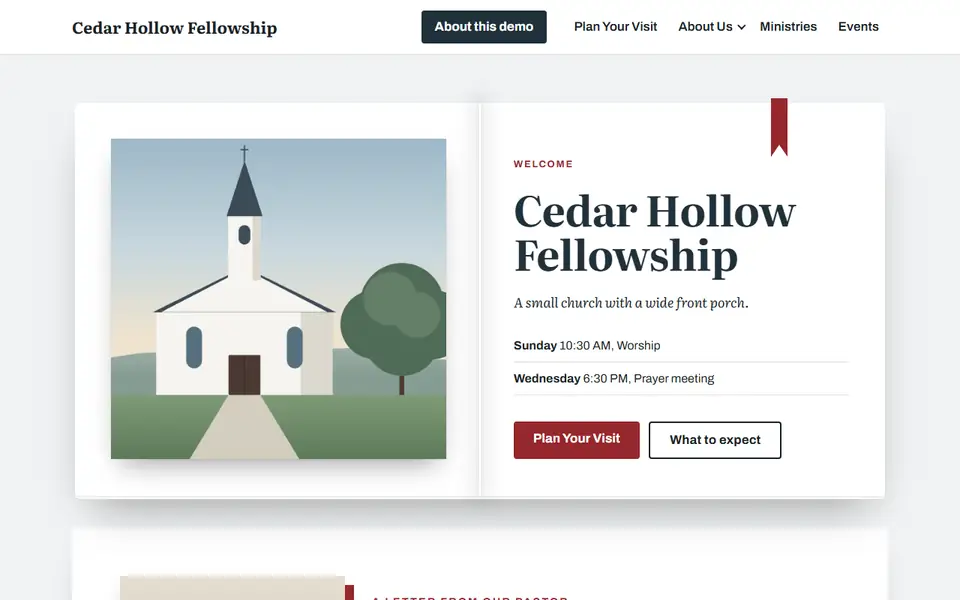
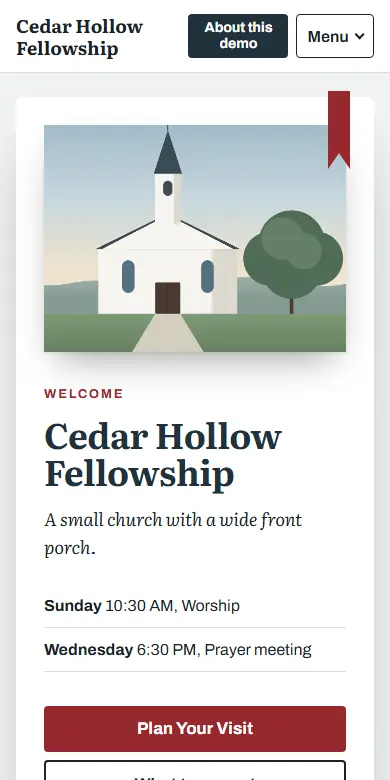
The home page opens like a book: the church picture on the left page, the welcome and service times on the right, and a ribbon. Inner pages are paper leaves on a tint of your main color, in a book serif.

See Rome live

A demonstration site for an invented church. Click through the menu, the events and the team.
Cedar Hollow Fellowship in the Rome look on a computer: an open book on a pale gray-blue page, a drawing of a white church with a steeple on the left page, and on the right page the church name, a short line in italics, two service times on ruled lines and two buttons, with a red ribbon over the top edge.
Rome on a computer.
Cedar Hollow Fellowship in the Rome look on a phone: one white page with the drawing of the church at the top and the red ribbon at its corner, then the church name, the service times on ruled lines and two stacked buttons.
Rome on a phone.

Berea

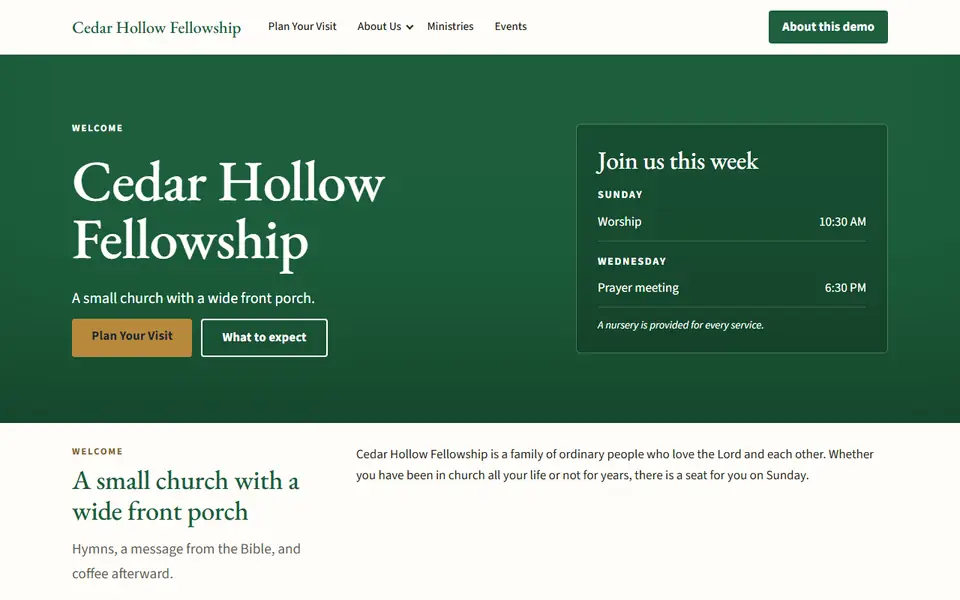
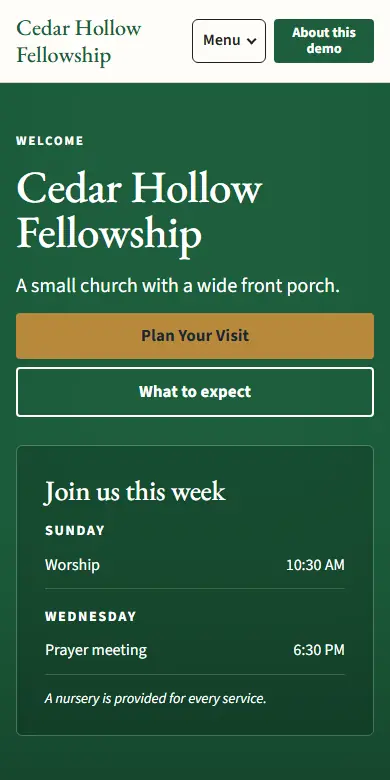
A warm page like a well-kept church bulletin: a thin top bar, the name in a Garamond serif, a banner in your main color with the service times in a card, white cards, gold capitals over headings and a deep footer.

See Berea live

A demonstration site for an invented church. Click through the menu, the events and the team.
Cedar Hollow Fellowship in the Berea look on a computer: a cream header with the church name in a serif, a deep green banner with the church name in large serif letters, a short line and two buttons on the left, and on the right a darker card headed Join us this week with the times grouped by day.
Berea on a computer.
Cedar Hollow Fellowship in the Berea look on a phone: the church name and a Menu button on one row, the green banner with the church name and two stacked buttons, and the card of service times below them.
Berea on a phone.

Want to see your own church in a look?

A manager or an owner can preview any look with the church's real pages before choosing it. Nothing changes until the button is pressed.